
Hello everyone!
I wanted to put together a simple guide explaining how the bidding system works on FishBSE.com.
Rather than making this overly technical, this guide is designed to walk you through the experience of buying and selling through our auction platform so you know what to expect from start to finish.
If you have questions about specific rules, penalties, account restrictions, refunds, bidding requirements, or other policies, be sure to check out our F.A.Q. page, where we provide more detailed information.
With that being said, let’s get started!
1. Bidding on an Item
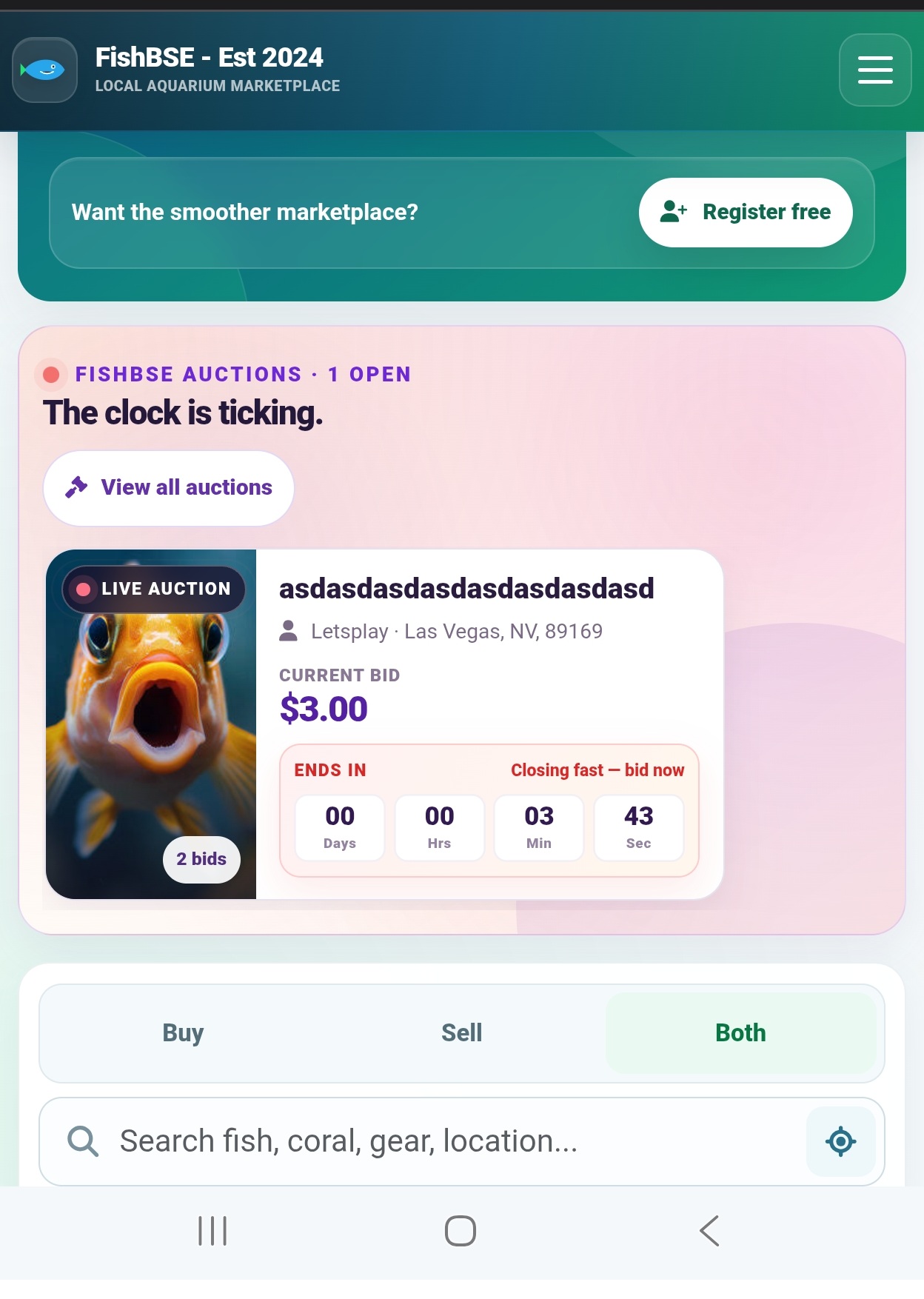
You can discover active auctions directly from the FishBSE home page or by visiting our Auctions page.
When placing a bid, you do not need to have your own Stripe account. If you win an auction, Stripe allows you to complete checkout securely as a guest.
Useful information
Snipe Protection
FishBSE auctions include snipe protection to help keep bidding fair.
If someone places a bid during the final moments of an auction, the auction will not immediately finalize. Instead, additional time will automatically be added to the countdown.
For example, if a bid is placed right before the auction ends, the system will extend the auction by approximately 2 additional minutes.
This gives other interested bidders a fair opportunity to respond instead of allowing someone to win simply by placing a bid at the very last second.
2. Placing Your Bid
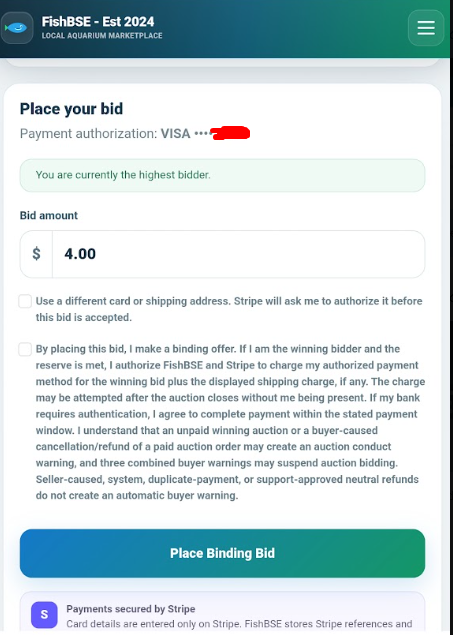
When you place a bid, a secure Stripe window will open and ask you to provide your shipping address. You’ll also be shown a breakdown of the costs associated with the transaction before continuing.
Before bidding, make sure you review the listing carefully. Sellers may set their own reserve price, additional fees, shipping terms, and DOA (Dead on Arrival) policy.
These details can vary from one listing to another, so it’s important to understand the seller’s terms before placing your bid.
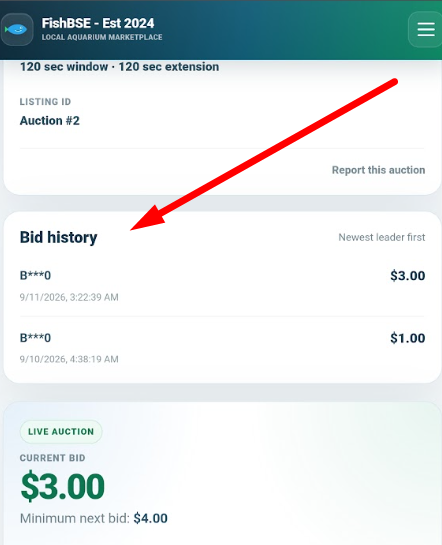
You can see the Bid history for each listing
3. After a Bid Has Been Place
In this example, I placed a bid of $4.00.
Once a valid bid has been placed, the **seller can no longer remove the listing without potentially facing a penalty**. At the same time, the **bidder is committing to complete the purchase if they win the auction**.
If the winning bidder is unable or unwilling to complete payment, their account may receive a warning or other penalties depending on the circumstances and FishBSE auction policies.
Keep an Eye on Your Notifications
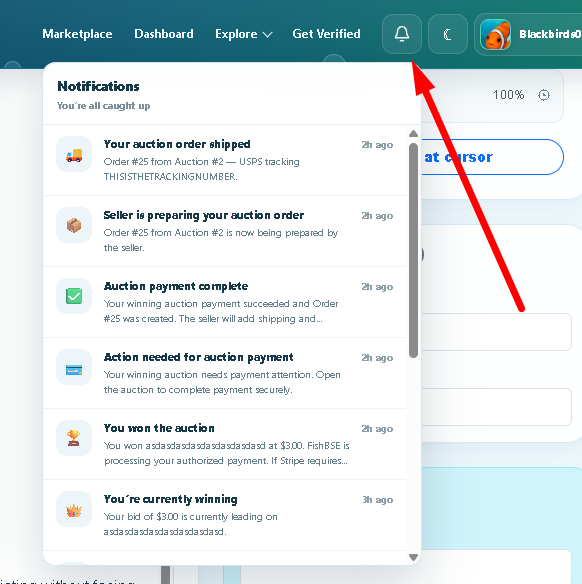
Be sure to check the **notification bell** regularly.
FishBSE will use notifications to keep both buyers and sellers updated on important auction activity, including bid updates, auction results, payment status, and other actions that may require your attention.
Go to My Auctions to review your Past / Present Auctions.
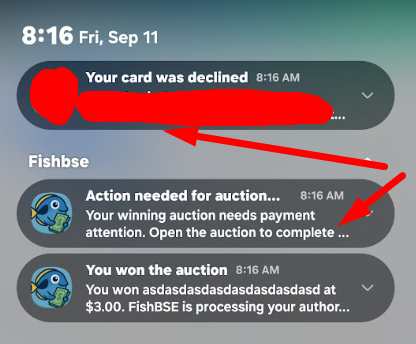
Stay Updated Throughout the Auction
If you have the FishBSE app, you can receive notifications throughout each step of the auction process, including important reminders if you miss or fail to complete a payment.
You may also receive updates through Chrome browser notifications and email, as long as those notification options are enabled.
Because some automated emails may occasionally be filtered, be sure to check your **Spam or Junk folder** if you are expecting an important FishBSE notification and do not see it in your inbox.
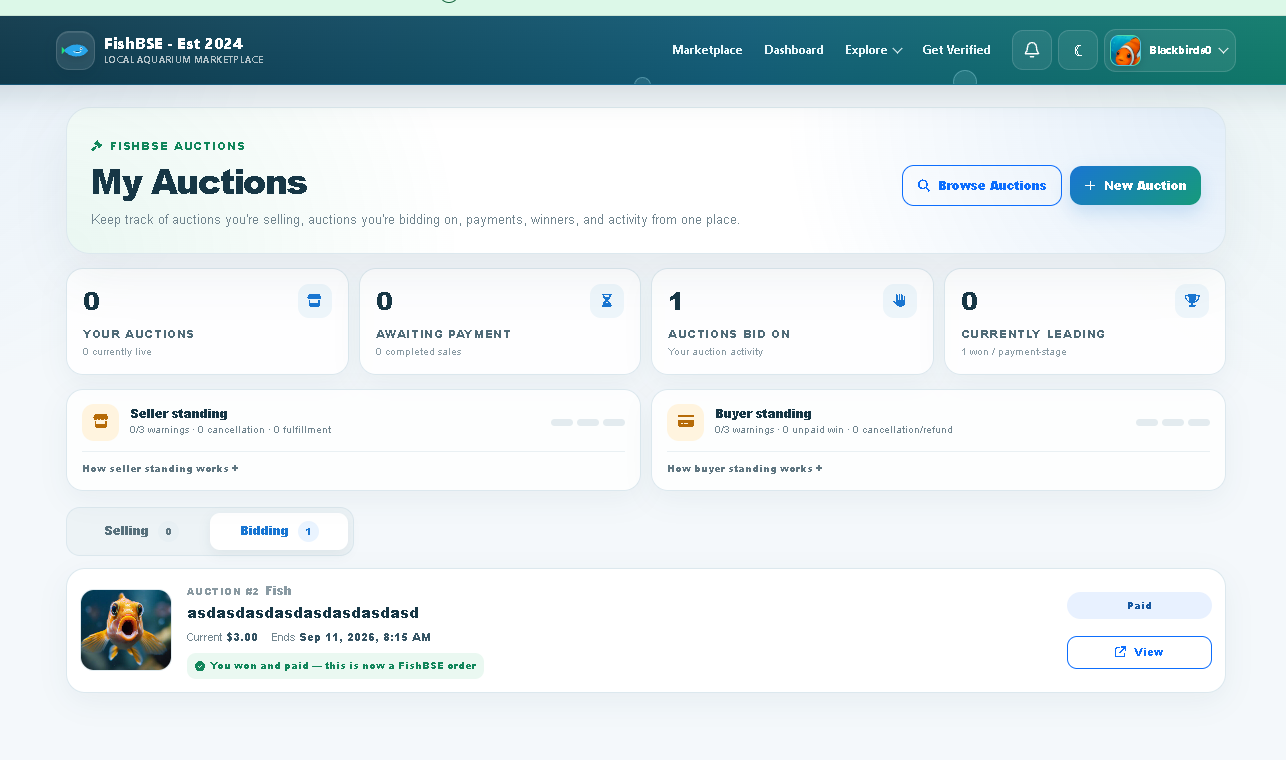
4. Check Your “My Auctions” Page
The My Auctions page is an important place to keep track of your auction activity.
From this page, you can view more details about the auctions you are participating in, monitor your current status, and see whether any action is required on your account.
It may also show important information about your auction standing, including **warnings, penalties, payment issues, or restrictions** that could affect your ability to continue using the FishBSE auction system.
We recommend checking this page regularly so you always know the current status of your buying and selling activity.
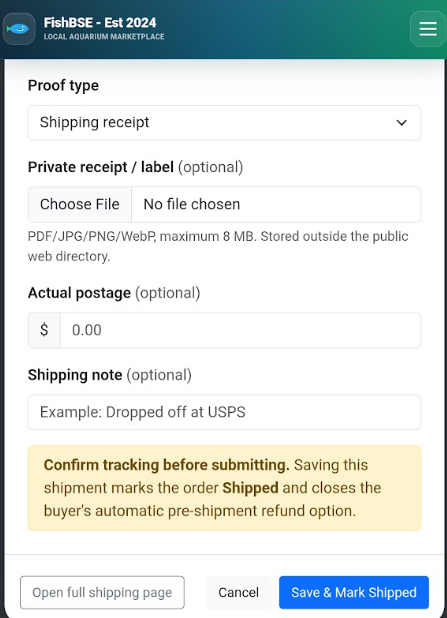
5. Shipping the Order
Once the seller receives an order, they must provide proof of the shipping label before changing the order status to Shipping.
This helps confirm that the order is actually being prepared for shipment and provides a record that can be referenced if there are any delivery issues or disputes.
Sellers should make sure the shipping information is accurate before updating the order status.
Orders page will provide you with the current status of shipment.
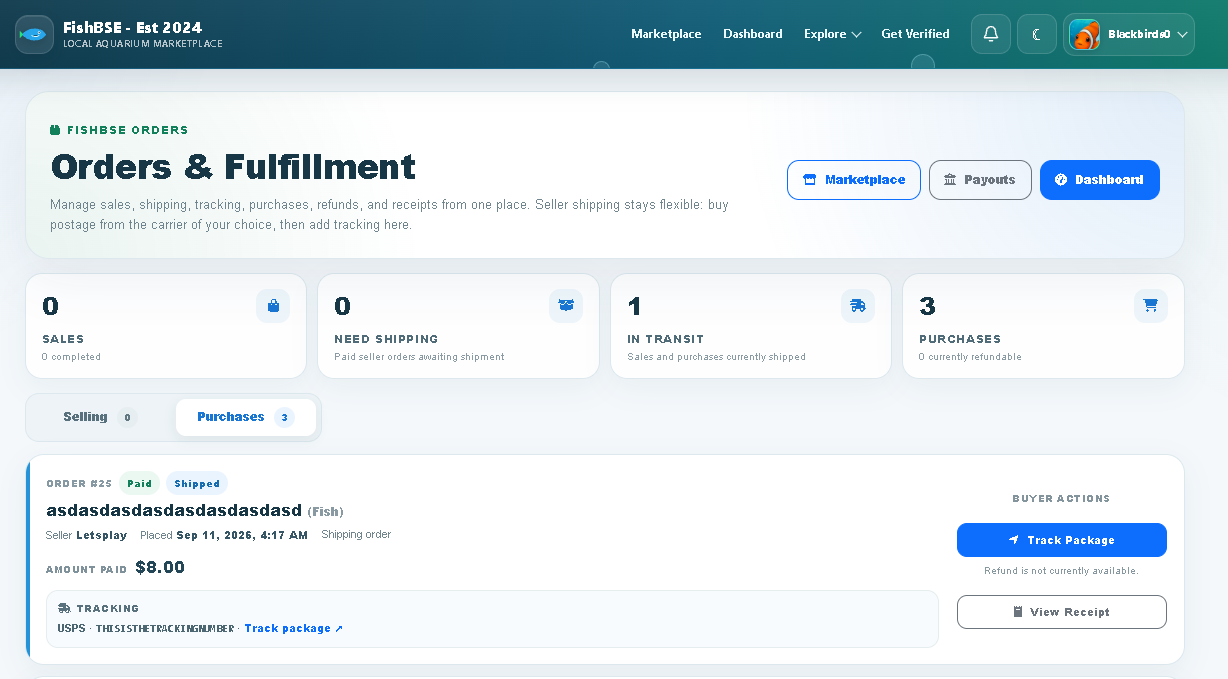
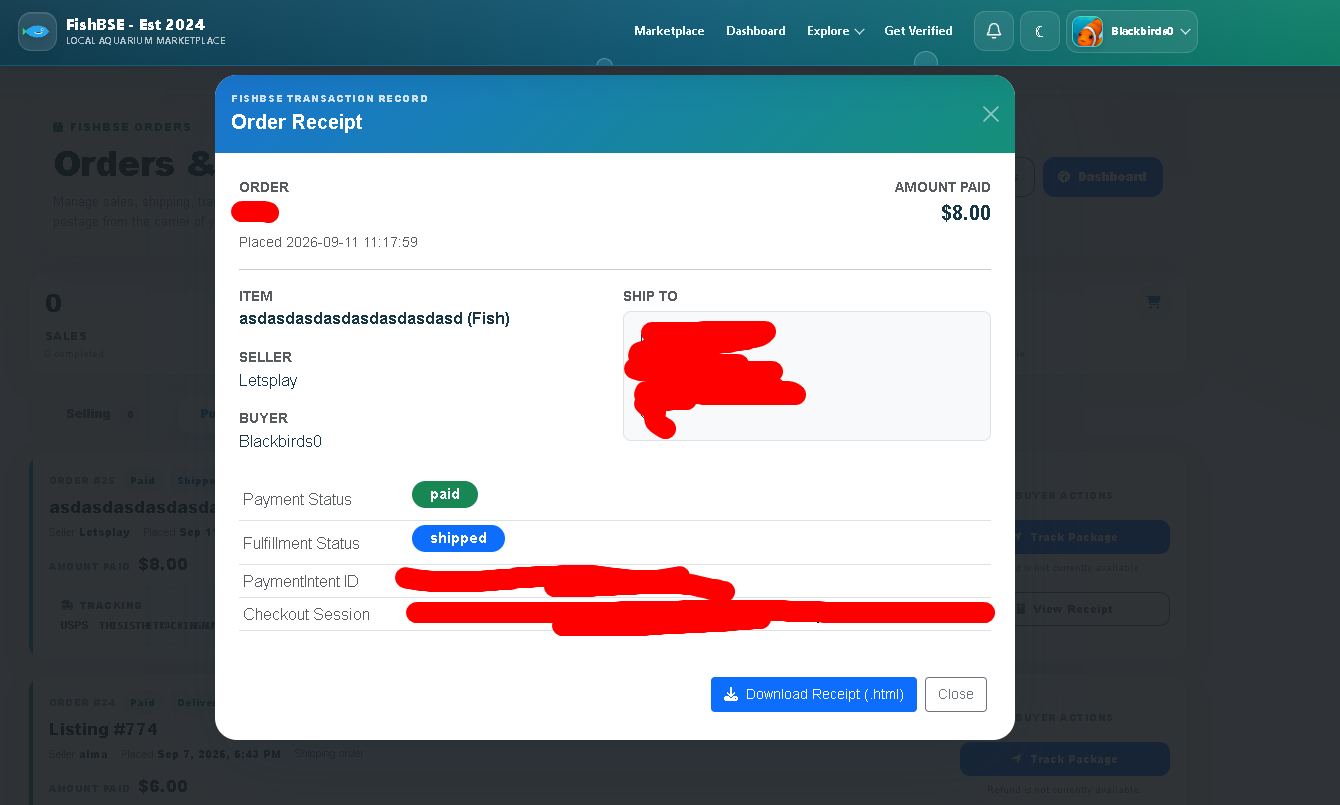
Digital Receipt
You will also have access to a digital receipt for your transaction.
This receipt can provide important payment details associated with the order, including relevant Stripe transaction information and other purchase details for your records.
We recommend keeping this receipt available in case you ever need to review the transaction, confirm payment information, or reference the order later.
And that's pretty much it. If you need to see anymore information check out our F.A.Q page to learn more.
Useful links: